Microsoft & Google Authorized CSP · Sales and support 24/7

How To Scan A Samsung Galaxy Device For Viruses

Learn how to scan a Samsung Galaxy device for viruses using built-in security tools and antivirus apps.

HardReset.info:

How to perform a Virus Scan on SAMSUNG Galaxy Note 9?

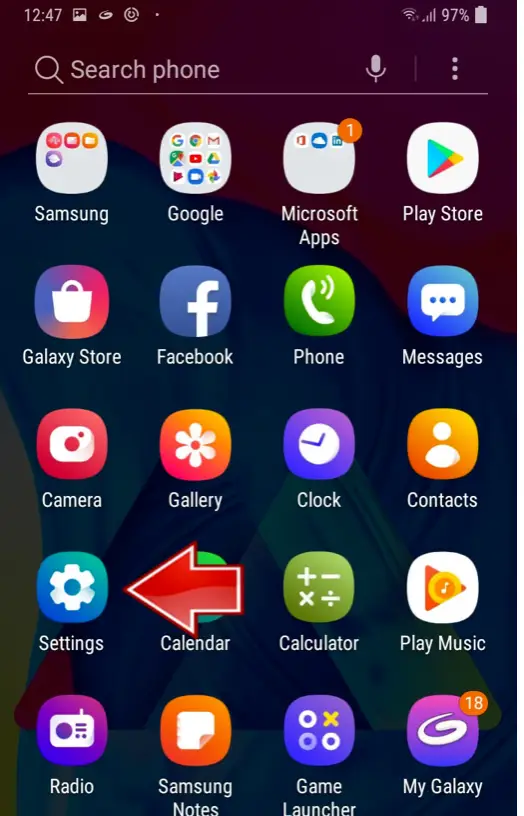
From your SAMSUNG Galaxy Note 9 main menu, navigate to Settings.
Screen shot 04 11 at 10.23.46 pm – How To Scan A Samsung Galaxy Device For Viruses

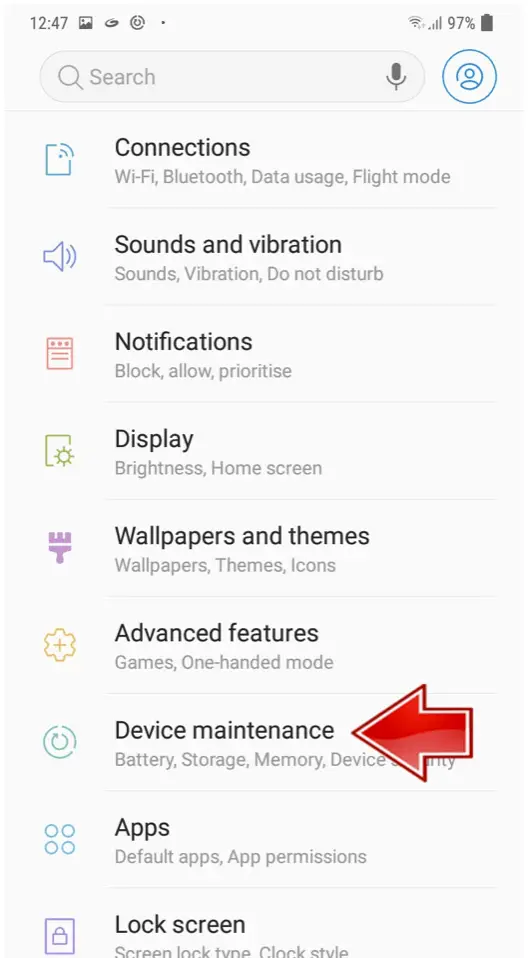
There, find the Device Maintenance option.
Screen shot 04 11 at 10.23.58 pm – How To Scan A Samsung Galaxy Device For Viruses

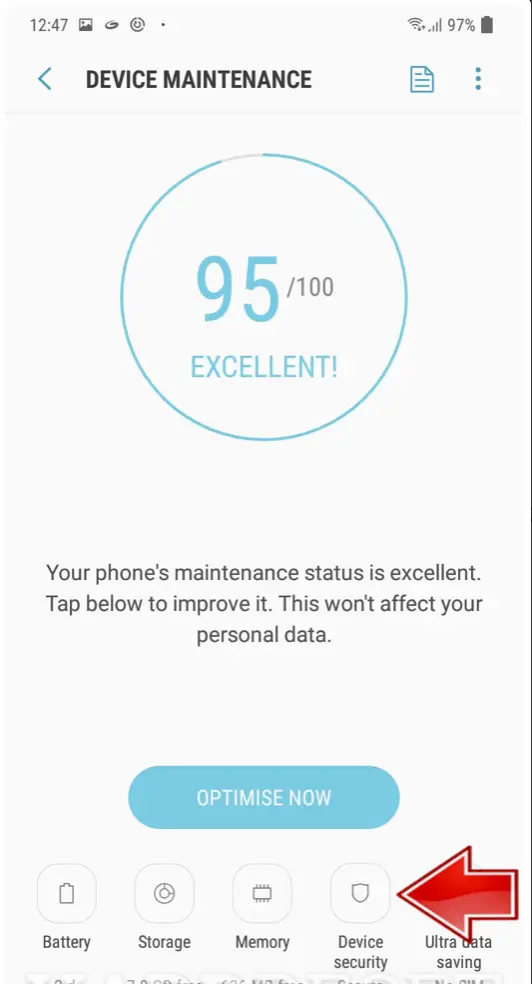
Around the lower part of the screen, select Device Security.
Screen shot 04 11 at 10.24.08 pm – How To Scan A Samsung Galaxy Device For Viruses

If not done before, Agree to the Terms and Conditions.

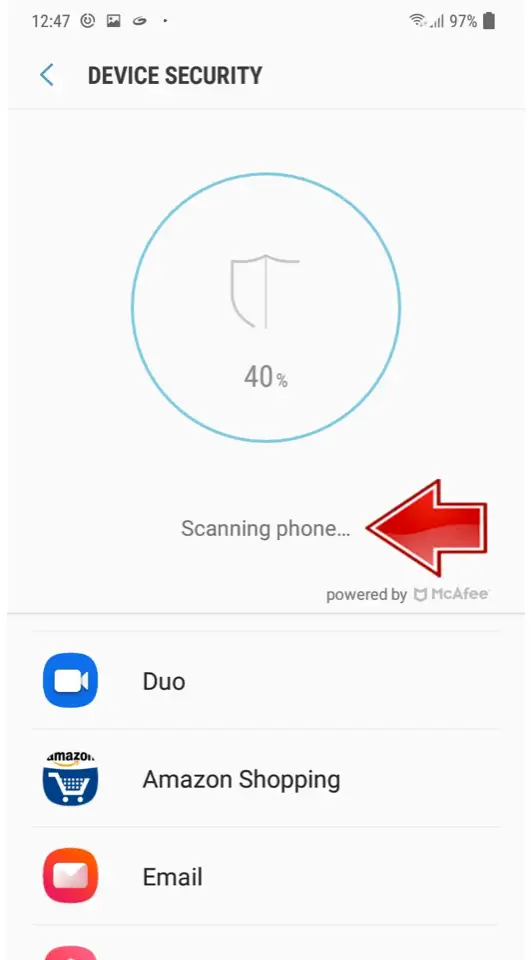
Select the Scan Phone function.
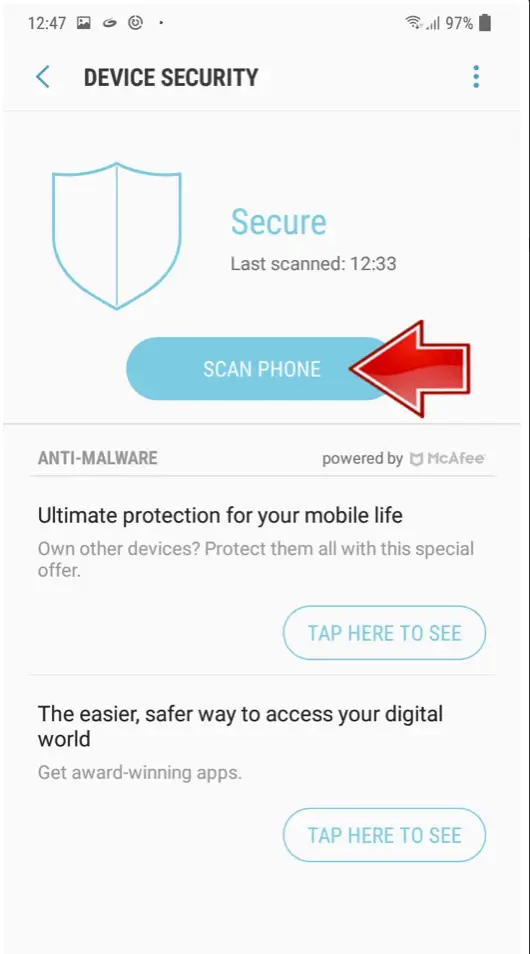
Screen shot 04 11 at 10.24.16 pm – How To Scan A Samsung Galaxy Device For Viruses

Wait for the scan to be completed.

Screen shot 04 11 at 10.24.25 pm – How To Scan A Samsung Galaxy Device For Viruses

If your device might be having virus problems and they are detected, you will be asked to Ignore or Uninstall the app it came

Talk to an Aloye specialist
Sales and support are available 24/7 at 1-844-MR-ALOYE.